
Quick Start Guide: Get started editing your website with this easy-to-follow guide.
Support: Explore Webflow University's library for comprehensive video lessons on getting started.
Useful links from Webflow University:
Before Publishing: Delete unused sections/pages, clean up CSS classes, clean up unused interactions and delete unused components.
Breakpoints: Check how your changes behave on different devices by clicking on the top bar of the viewport.
Backups: Restore previous versions from the Backups section in the left sidebar and clicking Settings in case of accidental deletions.
Editing Images and Text: Edit text by double-clicking on static content or use the CMS section for dynamic text. Replace images easily by clicking on them and choosing "Replace Image."
Dynamic Content (CMS): Learn how to manage and update dynamic content using the CMS, which instantly updates referenced content across pages.
Components: Utilize reusable components for efficient editing and consistency across layouts.
You can find all the GSAP attributes, GSAP connected Webflow variables and how to turn off GSAP here. This gives you powerful customization opitions to change this template in a major way.
All GSAP animations are controlled by attributes. You can find all the attributes in bold below.
data-gsap-stagger-fast: Staggers text at a fast speed
data-gsap-stagger-mid: Staggers text at a medium speed
data-gsap-stagger-slow: Staggers text at a slow speed.
data-gsap-stagger-center-on-scroll: Staggers text from the center on scroll
data-gsap-stagger-divs-fast: Staggers the direct child div at a fast speed
data-gsap-stagger-divs-mid: Staggers the direct child div at a medium speed
data-gsap-stagger-divs-slow: Staggers the direct child div at a slow speed
data-gsap-stagger-loop: Staggers the hero text. First with an intro stagger and secord with a stagger loop.
data-hero-container: Selects the container for the infinite canvas.
data-hero-wrapper: Selects the wrapper with all the images.
data-hero-image: Selects the image wrapper.
data-slider: Selects the works slider for the parallax slider.
data-slide-track: Selects the slider track or wrapper for all the slides.
data-slide-image: Selects the image wrapper.
data-hexagon: Selects the hexagon.
data-scroll-wrapper: Selects the wrapper for the scroll text.
data-scroll-text: Selects the text.
There are Webflow variables for most of the GSAP settings. You can customize this template without ever looking at a single line of code.
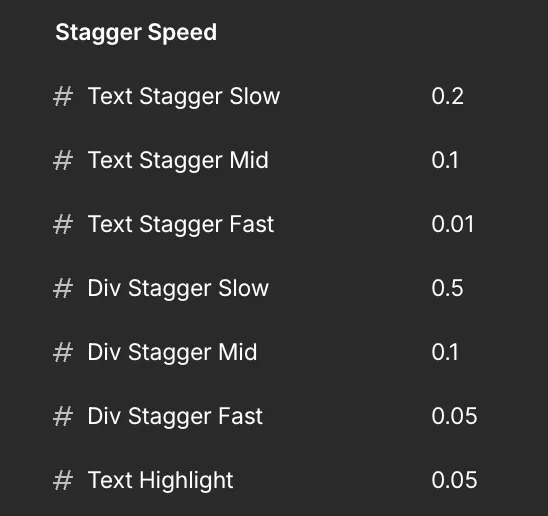
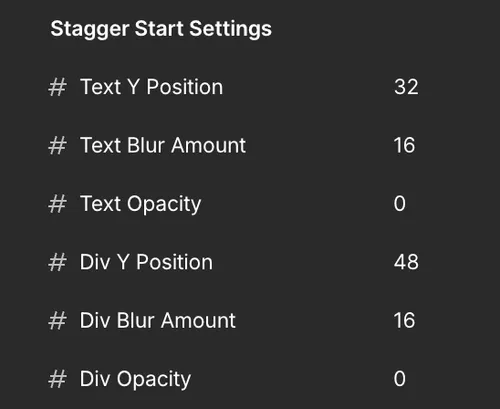
This sets the inital settings for the text & div staggers.
In the case of the text staggers - each character of a paragraph will start at 32px below (Y Position), 16px of blur and 0 opacity.
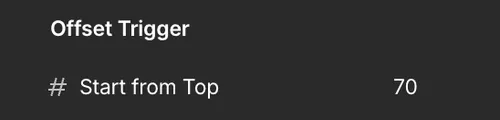
This sets when the text & div staggers are triggered from the top.
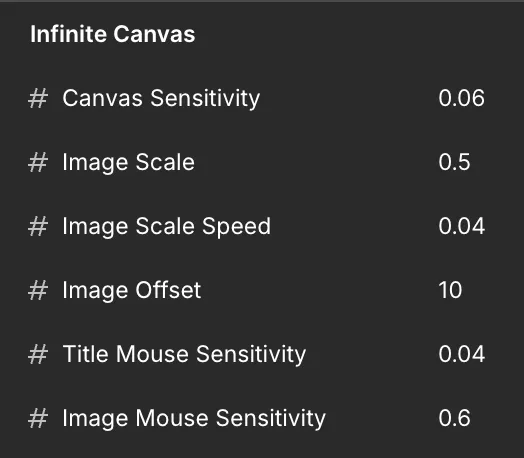
These are the settings for the infinite canvas.
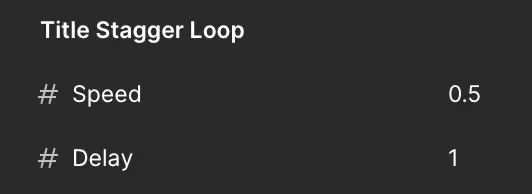
This is the hero's title stagger loop. The speed is 0.5 with a delay or pause of 1 between each stagger.
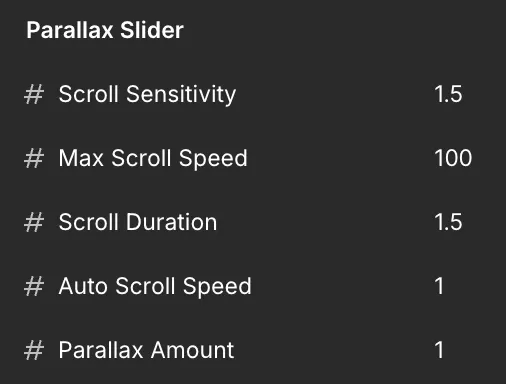
This is the settings for the parallax slider.
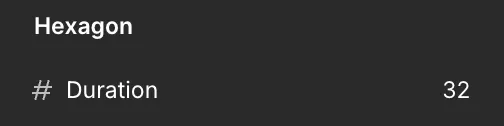
This sets the time it takes for the hexagon to complete a full spin.
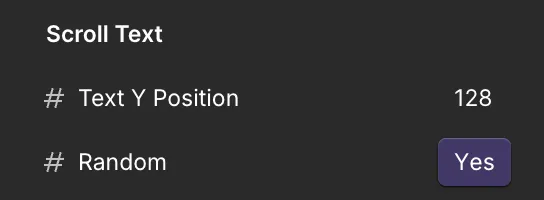
These are the settings for the scroll text from the right.
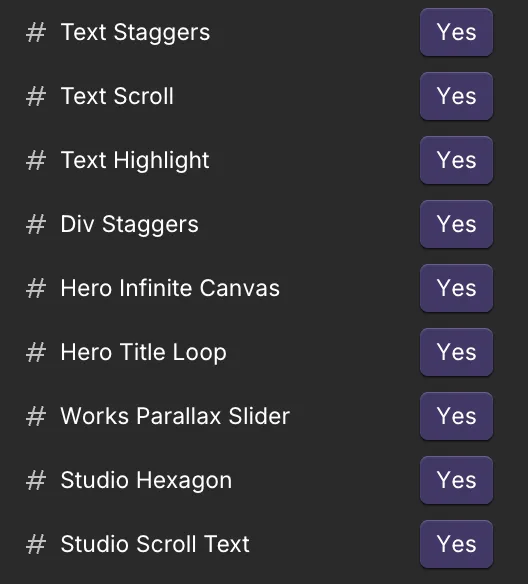
Any part of GSAP can be turned on or off by selecting either the "Yes" or "No" variable for the base mode. All elements will start at their original settings without any movement if turned off. The template will work perfectly without GSAP activated.
This provides smooth scrolling across the entire template. To turn off just comment out this code.
// Initialize Lenis smooth scroll
const lenis = new Lenis({
    duration: 1.2,
    easing: (t) => Math.min(1, 1.001 - Math.pow(2, -10 * t)),
    smooth: true
    });

    // Connect Lenis to GSAP ScrollTrigger
    lenis.on('scroll', ScrollTrigger.update);

    gsap.ticker.add((time) => {
    lenis.raf(time * 1000);
});

gsap.ticker.lagSmoothing(0);

});